


X
  • No products in the list

Customize

We build shopping carts, hand baskets, and utility carts around the way your operation runs. From branding and color to workflow-driven functionality, every detail is designed with purpose. The result is equipment that works harder, looks sharper, and fits seamlessly into your environment.

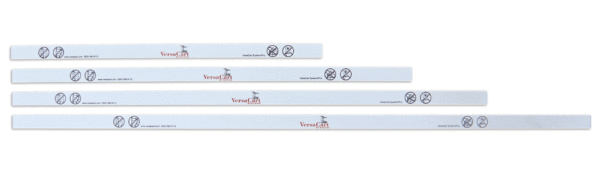
Logo specs for cart handles with logo strips


Logo File can be either full color or black and white.


Max Print Area:


EZcart® Series: 0.6” x 13.5” **

EZtote® 400 – 700 Series: 0.6” x 20.5” **

EZtote® 800 – 900 Series: 0.6” x 25.5” **

EXpress Series: 0.6” x 17.5” **

Plastic Carts: 0.5” x 6.875”

E-Series 85L: 0.5” x 18.5” **

View Handle: 0.525” x 6.77” **


Acceptable File formats (Adobe compatible): TIF, JPG, PDF, EPS


**Handles are printed with a white background as standard.

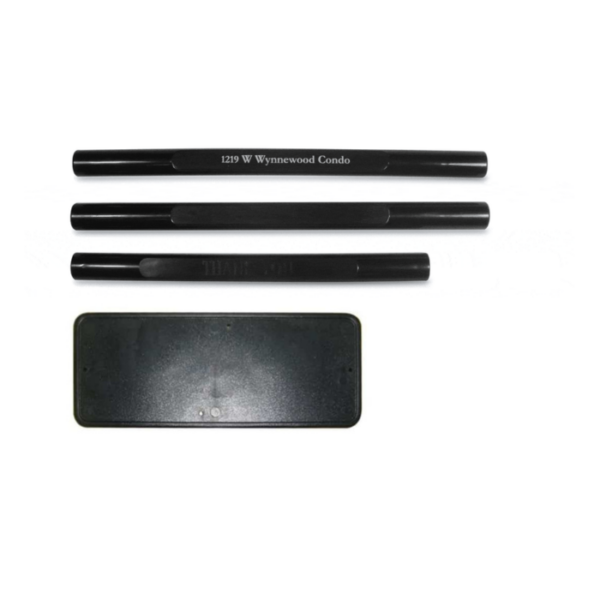
Logo Specs for Silk Screen Handle or Logo Panel


Max Print Area:


Logo Panel: 2.95” x 6.299”

Snap-on Handle: 0.58” x 6.88”


For Silk Screen we only accept vector file formats for better quality and scalability.

Accepted vector file formats are: AI, EPS, PDF, SVG.

Logo Specs for Baskets


We can create baskets with your logo printed in a single color. Because of the nature of the printing process, graphics are printed in a single color without any shading or halftones.


The available print area on baskets are:


26 liter & 28 liter hand baskets: W6.299” x H2.95”

30 liter hand basket: W5.687” x H2.187”

40 liter hand basket: W6.5” x H6”

To maximize the size of your artwork it is best for the layout to be wider than tall.


We now only accept vector file formats for better quality and scalability.

Accepted vector file formats are: AI, EPS, PDF, SVG.


All graphic files for basket logos must be submitted in black and white with no shades of gray.


Logo Color:


Because of the printing/stamping process on baskets there are some limitations in the available colors.


Please specify the color that you would like the logo printed in and we will contact you if this color is not available.


All elements in your graphic file that appear black will be printed in the color you specify.


All elements in your graphic file that appear white will allow the color of the basket to be visible.

EXAMPLE OF
BAD LOGO FILE

The above logo cannot be printed. Graphic files cannot contain any shading or halftones. It must be converted to solid black and white image.
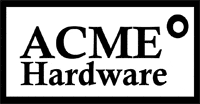
EXAMPLE OF
GOOD LOGO FILE

The above logo can be printed as it contains only black and white.
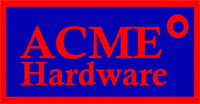
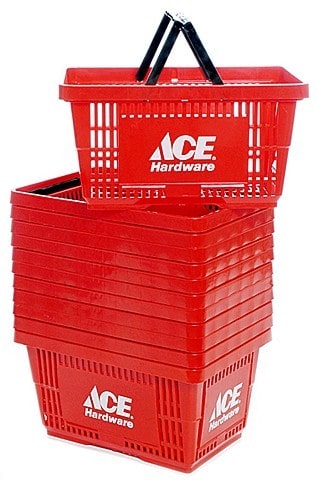
EXAMPLE OF LOGO PRINTED
IN RED ON A BLUE BASKET

The above example shows the logo printed in red on blue baskets. All of the black areas in the logo are printed and appear in red. All of the white areas in the logo are not printed and allow the color of the basket to show.

Scroll to Top